A brief introduction to Duik Bassel Tools"
" - ۰۰:۰۹:۳۷"
"
Preparing characters for rigging"
" - ۰۰:۱۲:۳۳"
"
Rig and Animate Character Without Keyframes"
" - ۰۰:۱۳:۳۶"
"
Rig and Animate Character (Part 2)"
" - ۰۰:۱۵:۲۱"
"
فصل ۸
|
هفته یازدهم (انیمیت کارکتر) (۰:۵۳:۱۳)
Walk Cycle Animation"
" - ۰۰:۱۷:۵۹"
"
Run Cycle Animation"
" - ۰۰:۱۴:۱۸"
"
Walk Cycle Animation (No Ref)"
" - ۰۰:۱۳:۳۶"
"
Run Cycle Animation (No Ref)"
" - ۰۰:۰۷:۲۰"
"
فصل ۹
|
هفته دوازدهم (انیمیشن سر و صورت) (۰:۴۵:۵۱)
Head Rig and Facial Animation"
" - ۰۰:۴۵:۵۱"
"
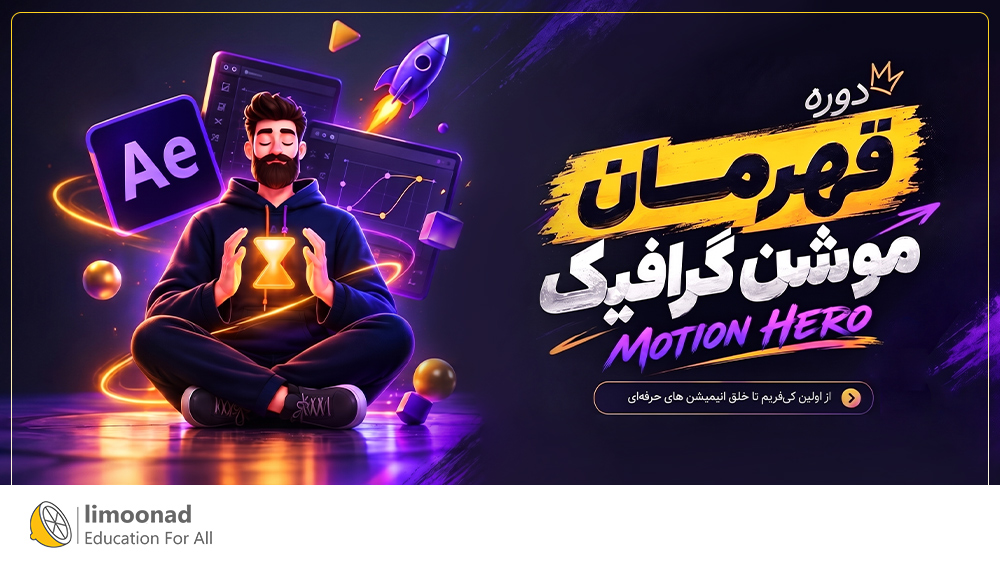
توضیحات "دوره قهرمان موشن گرافیک | موشن هیرو" :
در دوره موشن هیرو، ساخت موشن گرافیک و انیمیشن در After Effects را از پایه تا پیشرفته همراه با پروژه های عملی به صورت حرفه ای یاد می گیرید.
اهداف دوره قهرمان موشن گرافیک | موشن هیرو چیست؟
در پایان دوره موشن هیرو، با اصول حرفه ای انیمیشن و موشن دیزاین در افتر افکت آشنا می شوید. یاد می گیرید چگونه با استفاده صحیح از کی فریم ها، زمان بندی، ایزینگ و 12 اصل انیمیشن، حرکت های جذاب و حرفه ای ایجاد کنید. همچنین ساخت انیمیشن متن، شیپ، لوگو، لوپ و مورف و در ادامه ریگ و انیمیشن حرفه ای کارکتر، راه رفتن، دویدن و انیمیشن سر و صورت را به صورت پروژه محور یاد می گیرید. در نهایت، می توانید آموخته های خود را در پروژه های واقعی و پورتفولیوی حرفه ای به کار بگیرید.
این دوره برای چه کسانی مفید است؟
موشن دیزاینرها
چگونه کیفیت آموزش تضمین می شود؟
قبل از شرکت در دوره آموزشی شما می توانید پیش نمایش و ۱۱ قسمت آموزشی از ۷۰ قسمت را رایگان مشاهده کنید.(آموزش هایی که در سمت راست آن ها قفل باز است قبل از خرید و ورود در آموزش قابل مشاهده است)
- Introduction"
" - ۰۰:۰۸:۱۲"
"- Workspace"
" - ۰۰:۰۳:۲۰"
"- Menus"
" - ۰۰:۰۴:۵۶"
"- Panels"
" - ۰۰:۰۸:۰۶"
"- Tools"
" - ۰۰:۰۵:۳۰"
"- Create a New Composition"
" - ۰۰:۰۵:۰۱"
"- How To Import"
" - ۰۰:۰۳:۲۸"
"- How To Create Keyframs and Animation"
" - ۰۰:۰۵:۲۵"
"- Project Animation Bee (Design)"
" - ۰۰:۱۳:۱۴"
"- Project Animation Bee (Animation)"
" - ۰۰:۱۳:۵۸"
"- Project Animation Bee (Render)"
" - ۰۰:۰۲:۲۳"
"- Types of Keyframes"
" - ۰۰:۰۹:۴۹"
"- Graphs and Graph Editor"
" - ۰۰:۱۵:۱۳"
"- Creating Simple Animation"
" - ۰۰:۱۱:۳۶"
"- Keyframe Interpolation"
" - ۰۰:۰۹:۱۴"
"- Simple Jumping Ball"
" - ۰۰:۱۱:۴۶"
"- Bouncing Basketball"
" - ۰۰:۱۵:۵۸"
"- Bouncing Ball Hard"
" - ۰۰:۳۳:۱۴"
"- Bouncing Animation"
" - ۰۰:۰۷:۰۰"
"- Anticipation"
" - ۰۰:۰۳:۴۳"
"- Overlapping And Follow throw"
" - ۰۰:۰۴:۰۶"
"- Principles of Animation"
" - ۰۰:۱۷:۳۴"
"- Introducing the Text capabilities"
" - ۰۰:۰۵:۵۱"
"- Animating the Text"
" - ۰۰:۱۳:۲۶"
"- Types of Selectors"
" - ۰۰:۰۶:۰۴"
"- Sample 01 (Bouncing Text Animation)"
" - ۰۰:۰۳:۳۳"
"- Sample 02 (Tracking)"
" - ۰۰:۰۱:۱۸"
"- Sample 03 (Glitchy)"
" - ۰۰:۰۲:۲۲"
"- Lettering Animation"
" - ۰۰:۲۳:۰۱"
"- Seprating the Letters"
" - ۰۰:۲۵:۵۲"
"- Writing Effect for the Letters"
" - ۰۰:۴۰:۱۷"
"- Bouncy Animation for the Letters"
" - ۰۰:۱۹:۰۶"
"- Adding Details To the animation"
" - ۰۰:۱۹:۴۱"
"- Introduction"
" - ۰۰:۰۹:۰۶"
"- Tools We Need"
" - ۰۰:۰۷:۲۴"
"- create shapes"
" - ۰۰:۰۶:۲۷"
"- Fill and Stroke"
" - ۰۰:۰۷:۰۷"
"- shapes Parameters"
" - ۰۰:۰۶:۰۸"
"- Stroke (Taper and Wave)"
" - ۰۰:۱۴:۱۰"
"- Merge paths"
" - ۰۰:۱۶:۱۹"
"- Offset Paths"
" - ۰۰:۱۰:۳۱"
"- Pucker and Bloat"
" - ۰۰:۰۶:۱۸"
"- Repeater"
" - ۰۰:۱۷:۲۷"
"- Round Corner"
" - ۰۰:۰۹:۲۷"
"- Trim Paths"
" - ۰۰:۱۰:۴۹"
"- Twist"
" - ۰۰:۰۳:۴۵"
"- Wiggle Paths"
" - ۰۰:۰۸:۱۱"
"- Wiggle Transform"
" - ۰۰:۰۸:۵۳"
"- Zig Zag"
" - ۰۰:۰۶:۰۳"
"- Merge paths (Eyes)"
" - ۰۰:۰۵:۴۹"
"- Merge paths (Locator)"
" - ۰۰:۱۷:۴۸"
"- Pucker and Bloat Project"
" - ۰۰:۲۱:۰۴"
"- Round Corner Project"
" - ۰۰:۲۱:۲۹"
"- Trim path Project"
" - ۰۰:۳۱:۵۰"
"- Wiggle Paths Project"
" - ۰۰:۱۰:۲۳"
"- Wiggle Transform Project"
" - ۰۰:۰۹:۲۶"
"- Zig Zag Project"
" - ۰۰:۱۵:۴۴"
"- Logo Animation"
" - ۰۰:۱۷:۰۰"
"- Intro Loop Animation"
" - ۰۰:۰۴:۲۷"
"- Simple Loop Final"
" - ۰۰:۴۷:۵۶"
"- Morph Animation"
" - ۰۰:۲۸:۱۱"
"- Download and Install Duik Bassel"
" - ۰۰:۰۰:۰۶"
"- A brief introduction to Duik Bassel Tools"
" - ۰۰:۰۹:۳۷"
"- Preparing characters for rigging"
" - ۰۰:۱۲:۳۳"
"- Rig and Animate Character Without Keyframes"
" - ۰۰:۱۳:۳۶"
"- Rig and Animate Character (Part 2)"
" - ۰۰:۱۵:۲۱"
"- Walk Cycle Animation"
" - ۰۰:۱۷:۵۹"
"- Run Cycle Animation"
" - ۰۰:۱۴:۱۸"
"- Walk Cycle Animation (No Ref)"
" - ۰۰:۱۳:۳۶"
"- Run Cycle Animation (No Ref)"
" - ۰۰:۰۷:۲۰"
"- Head Rig and Facial Animation"
" - ۰۰:۴۵:۵۱"
"