Basic Rules of Creating Coherent Templates"
" - ۰۰:۰۸:۱۸"
"
The Research of the Brand 1"
" - ۰۰:۱۲:۱۶"
"
The Research of the Brand 2"
" - ۰۰:۱۴:۴۶"
"
Creating Designs in Adobe Illustrator 1"
" - ۰۰:۱۰:۵۱"
"
Creating Designs in Adobe Illustrator 2"
" - ۰۰:۱۰:۱۵"
"
Overview of the Useful Expressions and Essential Properties"
" - ۰۰:۱۲:۲۹"
"
Organizing the Project Structure in After Effects"
" - ۰۰:۰۲:۳۵"
"
فصل ۳
|
Building the Animated Template (۱:۵:۵۶)
Importing Design Files and Preparing Assets"
" - ۰۰:۰۷:۵۶"
"
Applying Expressions to Design Elements 1"
" - ۰۰:۱۹:۰۶"
"
Applying Expressions to Design Elements 2"
" - ۰۰:۱۶:۰۰"
"
Defining Essential Properties"
" - ۰۰:۰۴:۱۸"
"
Animating the Template"
" - ۰۰:۱۵:۱۴"
"
Creating Additional Formatsmp4"
" - ۰۰:۰۳:۲۲"
"
فصل ۴
|
Finalization (۰:۱۲:۳۴)
Preparing the Set of Animations"
" - ۰۰:۰۳:۳۶"
"
Rendering the Animations"
" - ۰۰:۰۲:۵۲"
"
Additional Tips and Tricks"
" - ۰۰:۰۶:۰۶"
"
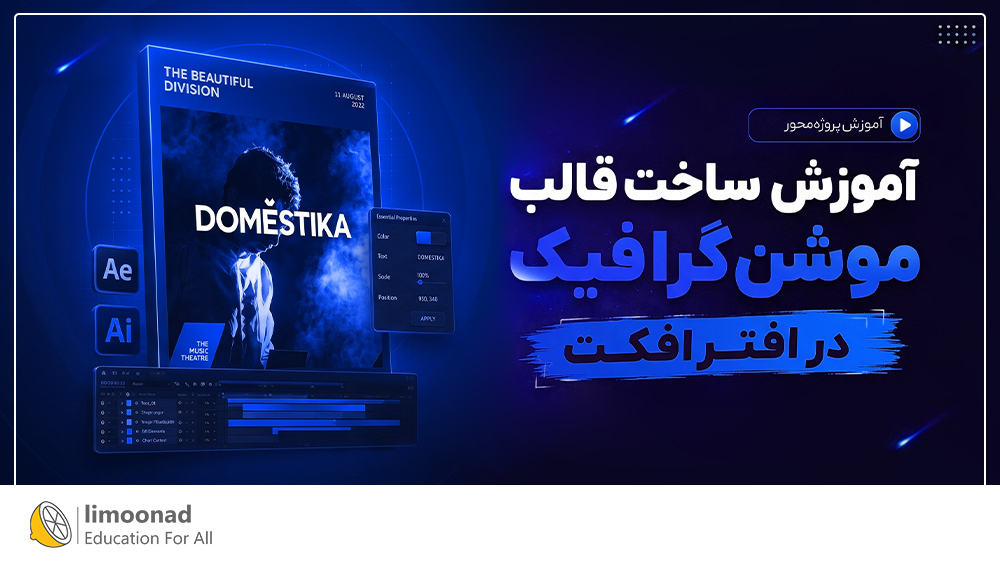
توضیحات "آموزش ساخت قالب موشن گرافیک در افتر افکت" :
در آموزش ساخت قالب موشن گرافیک یاد می گیرید چگونه یک پروژه موشن گرافیک را از ابتدا به صورت اصولی طراحی کنید و تمپلیت های حرفه ای قابل ویرایش بسازید.
پیش نیاز این دوره آموزشی چیست؟
برای شروع کافی است با محیط و ابزارهای پایهAdobe After Effectsآشنایی داشته باشید.
اهداف آموزش ساخت قالب موشن گرافیک در افتر افکت چیست؟
در پایان این دوره، می آموزید چگونه بریف های تبلیغاتی را به دقت تحلیل کرده و ساختار پروژه را از ابتدا به صورت اصولی طراحی کنید. همچنین با استفاده از Adobe Illustrator و Adobe After Effects، ساخت تمپلیت های حرفه ای، استاندارد و قابل ویرایش را یاد می گیرید.
این دوره برای چه کسانی مفید است؟
این دوره برای موشن دیزاینرها، طراحان موشن گرافیک، انیماتورها و افرادی که با After Effects کار می کنند مناسب است. به خصوص برای کسانی که می خواهند مهارت خود را در زمینه طراحی و ساخت تمپلیت های حرفه ای ارتقا دهند.
- About me"
" - ۰۰:۰۴:۴۱"
"- Influences"
" - ۰۰:۰۳:۰۷"
"- Basic Rules of Creating Coherent Templates"
" - ۰۰:۰۸:۱۸"
"- The Research of the Brand 1"
" - ۰۰:۱۲:۱۶"
"- The Research of the Brand 2"
" - ۰۰:۱۴:۴۶"
"- Creating Designs in Adobe Illustrator 1"
" - ۰۰:۱۰:۵۱"
"- Creating Designs in Adobe Illustrator 2"
" - ۰۰:۱۰:۱۵"
"- Overview of the Useful Expressions and Essential Properties"
" - ۰۰:۱۲:۲۹"
"- Organizing the Project Structure in After Effects"
" - ۰۰:۰۲:۳۵"
"- Importing Design Files and Preparing Assets"
" - ۰۰:۰۷:۵۶"
"- Applying Expressions to Design Elements 1"
" - ۰۰:۱۹:۰۶"
"- Applying Expressions to Design Elements 2"
" - ۰۰:۱۶:۰۰"
"- Defining Essential Properties"
" - ۰۰:۰۴:۱۸"
"- Animating the Template"
" - ۰۰:۱۵:۱۴"
"- Creating Additional Formatsmp4"
" - ۰۰:۰۳:۲۲"
"- Preparing the Set of Animations"
" - ۰۰:۰۳:۳۶"
"- Rendering the Animations"
" - ۰۰:۰۲:۵۲"
"- Additional Tips and Tricks"
" - ۰۰:۰۶:۰۶"
"


![آموزش ترسیم پلان معماری با اتوکد [پروژه محور + ضوابط شهرداری]](https://www.limoonad.com/Preview/96220.jpg)